by Traverse Legal, reviewed by Enrico Schaefer - October 12, 2026 - Account Deactivation or Termination, Airbnb, Short Term Rentals
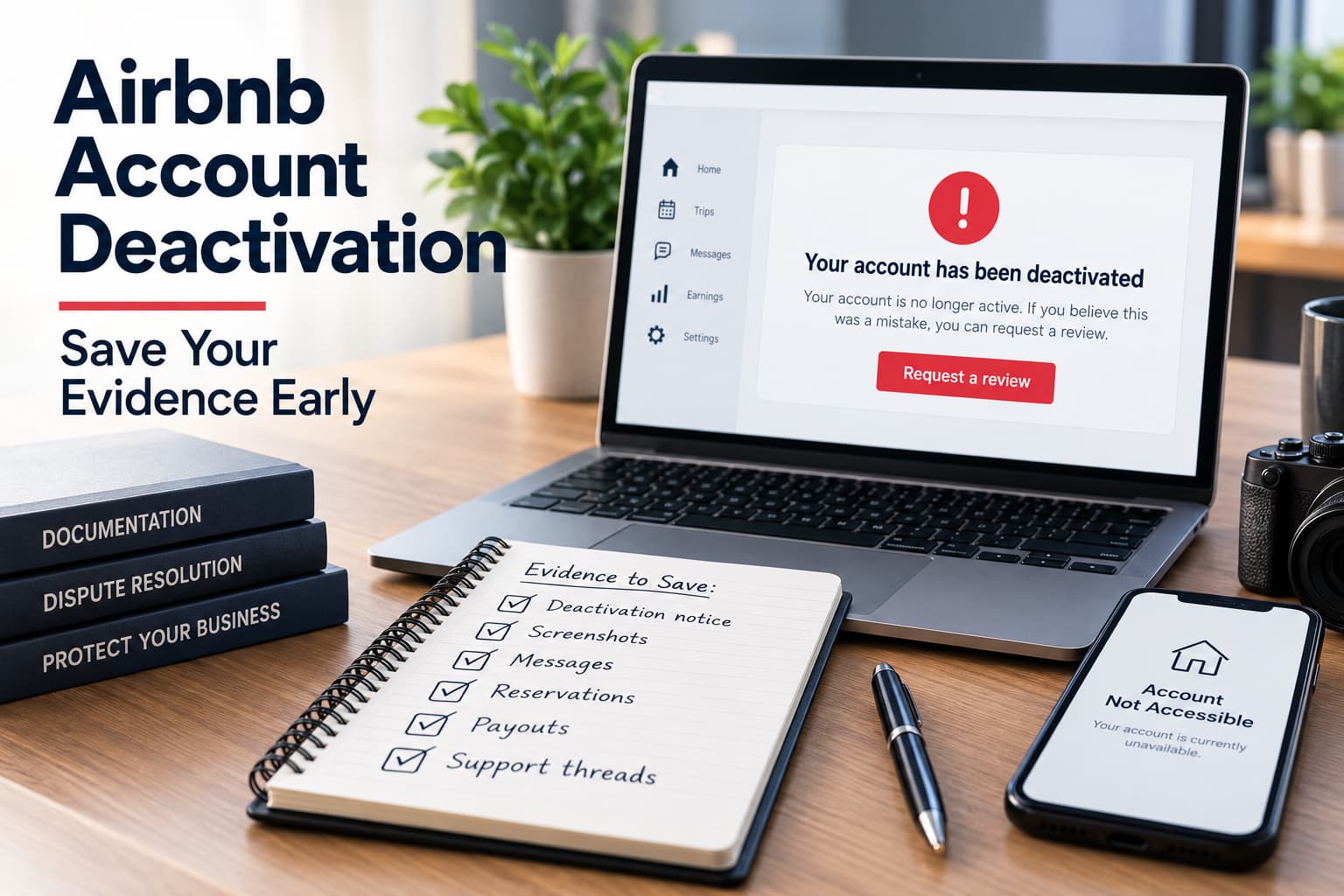
Airbnb deactivation evidence should be saved as soon as the account goes dark.
The priority is to preserve the record before listings, messages, payouts, or support threads become harder to reach. A deactivation can change what you can see very quickly, and once access narrows, missing records are harder to rebuild.
“Traverse Legal represents hosts and short-term rental operators across the full lifecycle of the business. Account deactivation arbitrations. AirCover and guest damage disputes. Chargebacks and payout holds. Property management and arbitrage contracts. Owner agreements. Corporate formation and financing. Legal structuring work coordinated with our clients’ tax accountants on cost segregation and bonus depreciation planning. If you run a short-term rental business, we have very likely handled your problem before.”
Prior results do not guarantee a similar outcome. Every case turns on its specific facts. This page is attorney advertising.
Start with the deactivation notice itself.
Save:
Do not rely on memory or a partial screenshot. Keep the full notice visible, including any wording about the reason for the deactivation, next steps, or review path.
The notice is usually the anchor for the rest of the record. It shows when Airbnb acted, what it said at the time, and what information was available before the account changed.
Keep the original message and any support reply together in one folder. That makes it easier to show exactly what Airbnb said and when it said it.
Once the deactivation notice is saved, move to the rest of the account record.
Capture the pieces that show how the account looked before access changed.
Save:
Save screenshots from the live listing page, the calendar, the reservation list, and any message thread that still shows the account status.
Preserve guest messages that may be tied to the deactivation, a complaint, a refund dispute, or a support issue. Those messages can help show what happened before the account was restricted.
Do not assume Airbnb will keep every record visible to you later. Some of the most useful screenshots are the ones taken before the account changes again.
Keep support messages together with the notice. That helps show what Airbnb said, what the host saw, and what changed from one step to the next.
A deactivation is not just an account problem. It can affect the business in real time.
Record the loss as soon as it starts showing up.
Save:
Take screenshots that show unavailable dates, cancelled reservations, missing payout details, or listings that no longer appear active.
Track which bookings were affected and which guests were already on the calendar. A short note beside each screenshot can help later when you are building the appeal or claim.
Multiple listings affected is especially important. That shows the issue is not isolated to one reservation or one message thread.
Hold on to any proof of lost income, too. That may include cancelled stays, blocked dates, payout delays, or booking gaps that appeared right after the deactivation.
The more clearly the business impact is documented, the easier it is to explain what the deactivation changed and why it matters.
The moment the account is deactivated, do not trust yourself to remember the details later.
Save the records first, then respond. The goal is to preserve Airbnb account data before ban while it is still available, because the account may look different after a few minutes, a few hours, or the next support update.
A host can forget which message said what, which date the notice arrived, or which reservation Airbnb changed. Screenshots and saved messages are much easier to rely on than memory alone.
This is especially true when the issue becomes an appeal or legal review. A clean record shows what Airbnb displayed, what the host saw, and what changed before access disappeared.
Do not save everything in one loose folder and hope to sort it out later.
A clear folder structure makes the evidence easier to use later. Separate each listing so reservation history, guest messages, calendar screenshots, and payout records stay tied to the correct property.
Keep original messages with their screenshots. Do not rely on copied text alone.
Store copies somewhere outside the Airbnb account, such as a secure drive or backup folder, so the records remain available even if the platform access changes again.
A host who organizes the material now will have a much easier time later when building the appeal, preparing a claim, or explaining what happened to counsel.
An appeal works best when the record shows exactly what Airbnb said, what you submitted, and what was still unresolved.
Save:
Keep the appeal packet focused on the issue Airbnb raised. Save the message that triggered the deactivation, the records that support your position, and anything that shows the account was being managed normally before access changed.
Performance data can matter if the appeal involves ratings, cancellations, booking activity, or listing history. House rules help show what is expected of guests. A disputed review or complaint may also help explain why Airbnb took the action it did.
A legal review needs more than the appeal record. It needs a full business picture.
Save:
Full account history should include notices, support messages, reservation records, payout history, and any record of access changes. Business records may include booking calendars, revenue records, property management documents, and listing history.
Owner or manager, communications matter when the account is tied to multiple properties or a broader management relationship. Any evidence of financial harm should show lost bookings, withheld payouts, blocked dates, or other measurable impact.
If the account is still unresolved, the deactivation hub and appeal letter article explain the next steps.
Use the checklist before you appeal, before you call Airbnb again, and before you lose access to anything else.
Your Airbnb deactivation evidence is saved, but the account or payout remains unresolved. The next step is to review the appeal path and the broader account history.
The deactivation is still blocking bookings, payouts, or access to records. Traverse Legal can review the account history and help you evaluate the next move. To discuss your situation, book a consultation through the contact form or call 866-936-7447.
Save the deactivation notice, support messages, reservation history, payout records, guest messages, screenshots of your listing and calendar, and any appeal or review responses. The goal is to preserve the record before access changes.
Yes. Screenshot the listing, calendar, and any account notices as soon as possible. Those images can help show what was active, what changed, and when the change happened.
Sometimes, but not always. That is why the safest move is to save the records right away instead of waiting to see whether Airbnb restores access.
The deactivation notice is the starting point. After that, the most useful records are guest messages, reservation history, payout history, support threads, and any proof showing the business impact.
Consider contacting an Airbnb lawyer if the deactivation affects payouts, bookings, multiple listings, or access to important records. Legal review may also make sense if Airbnb is not responding, or if the appeal is denied.
As a founding partner of Traverse Legal, PLC, he has more than thirty years of experience as an attorney for both established companies and emerging start-ups. His extensive experience includes navigating technology law matters and complex litigation throughout the United States.

This page has been written, edited, and reviewed by a team of legal writers following our comprehensive editorial guidelines. This page was approved by attorney Enrico Schaefer, who has more than 20 years of legal experience as a practicing Business, IP, and Technology Law litigation attorney.
